
Beste Canva-Alternativen für KI-Karussell-Erstellung 2026
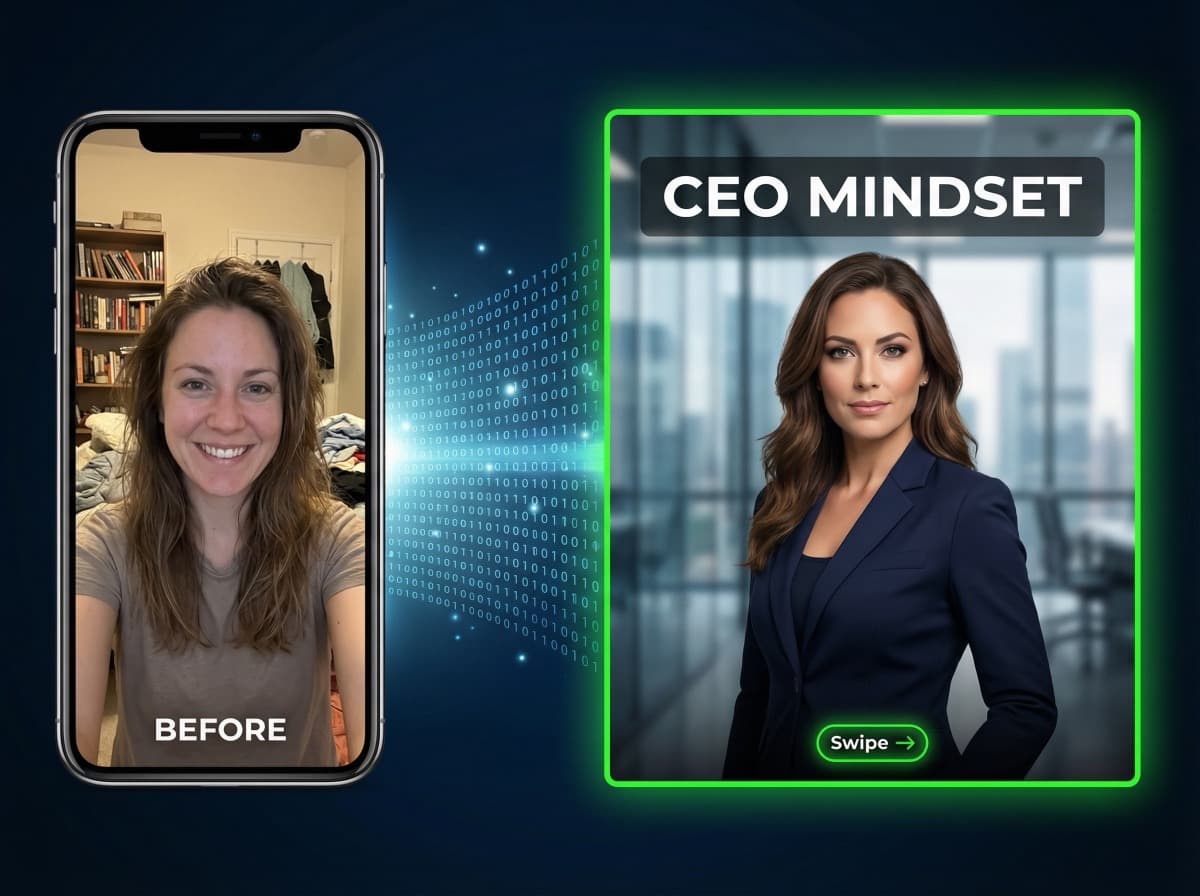
Canva ist ein fantastisches universelles Design-Tool. Aber wenn du hauptsächlich Karussell-Posts für Instagram oder LinkedIn erstellst, verbringst du vielleicht viel zu viel Zeit mit jedem einzelnen. Hier sind die besten Alternativen, die KI nutzen, um die Karussell-Erstellung schneller und effektiver zu machen.
Warum Creator über Canva hinausschauen
Versteh uns nicht falsch — Canva ist großartig für das, was es tut. Aber für karussell-fokussierte Creator gibt es echte Schmerzpunkte:
Zeitaufwand: Ein 7-Slide-Karussell in Canva dauert 15-30 Minuten. Die richtige Vorlage finden, jede Slide anpassen, Fotos suchen, Text anpassen — das summiert sich. Multipliziere das mit 3-5 Karussells pro Woche, und du verbringst 2-3 Stunden allein mit dem Karussell-Design.
Das Stockfoto-Problem: Canva gibt dir Zugang zu Stockfotos. Aber dein Publikum ist es leid, die gleichen generischen Business-Fotos zu sehen. Stock-Bildmaterial macht deine Marke austauschbar mit allen anderen, die die gleiche Bibliothek nutzen.
Keine Content-Generierung: Canva schreibt deinen Content nicht. Du musst recherchieren, gliedern und jede Slide selbst schreiben. Das Design-Tool übernimmt nur den visuellen Teil.
Keine KI-Gesichtsintegration: Du willst professionelle Bilder von dir ohne Fotografen? Canva kann da nicht helfen. Du bist auf Stockfotos oder deine eigenen Handy-Fotos angewiesen.
Die besten Canva-Alternativen für Karussells
1. KlemensAI — Beste Gesamtalternative
Warum es für Karussells besser ist:
KlemensAI schafft in 2 Minuten, was in Canva 30 Minuten dauert. Füge ein YouTube-Video, PDF, URL oder Text-Thema ein — und die KI generiert ein komplettes Karussell mit professionellen Bildern mit deinem eigenen Gesicht.
Was Canva nicht kann, was KlemensAI kann:
• KI-Bilder mit deinem Gesicht generieren (Persona-Feature)
• YouTube-Videos automatisch in Karussells verwandeln
• PDFs und Artikel in visuelle Slides konvertieren
• KI-Reels mit Voiceover aus Karussells erstellen
• Content nativ in 10 Sprachen generieren
Preise: Kostenloser Plan (1 Karussell/Monat), dann ab 29 €/Monat.
Der Kompromiss: KlemensAI ist auf Karussells und Social-Media-Content spezialisiert. Es wird nicht deine Visitenkarte oder Präsentation designen. Dafür nutzt du weiterhin Canva.
2. aiCarousels — Günstige Text-Alternative
Was es kann: Erstellt einfache textbasierte Karussell-Slides mit KI-generiertem Text. Gut für LinkedIn-Text-Karussells mit kleinem Budget.
Preise: Ab 9,99 $/Monat.
Einschränkungen: Keine KI-Bildgenerierung. Keine Gesichtsintegration. Nur LinkedIn. Nur Text-auf-Hintergrund-Slides.
3. Taplio — Nur-LinkedIn-Alternative
Was es kann: LinkedIn-Content-Suite mit einfachen Karussell-Vorlagen, Post-Planung und Analytics.
Preise: Ab 39 $/Monat. Kein kostenloser Plan.
Einschränkungen: Nur LinkedIn. Keine KI-Bilder. Kein Instagram-Support. Keine Video-/Reel-Erstellung. Einfache Karussell-Vorlagen ohne KI-Generierung.
Vergleich: KlemensAI vs Canva für Karussells
| | KlemensAI | Canva |
|---|-----------|-------|
| Zeit pro Karussell | 2 Minuten | 15-30 Minuten |
| KI-Content-Generierung | Ja (aus YouTube, PDF, URL, Text) | Nein |
| KI-Bilder mit deinem Gesicht | Ja (exklusiv) | Nein |
| KI-Reels/Video | Ja (mit Voiceover) | Nein |
| Stockfotos nötig | Nein | Ja |
| Design-Kenntnisse nötig | Nein | Etwas |
| Sprachen | 10 nativ | Nur manuell |
| Instagram-optimiert | Ja (4:5, 9:16) | Eigene Abmessungen |
| LinkedIn-optimiert | Ja (1:1) | Eigene Abmessungen |
| Kostenloser Plan | Ja | Ja (begrenzt) |
| DSGVO (EU-Hosting) | Ja (Deutschland) | Nein (USA/Australien) |
Die Rechnung: Gesparte Zeit
Nehmen wir an, du erstellst 4 Karussells pro Woche:
Mit Canva: 4 x 25 Minuten = 100 Minuten/Woche = ~7 Stunden/Monat
Mit KlemensAI: 4 x 2 Minuten = 8 Minuten/Woche = ~0,5 Stunden/Monat
Das sind 6,5 gesparte Stunden pro Monat. Bei einem Stundensatz von 50 € entspricht das 325 € an Zeitwert — deutlich mehr als KlemensAIs Abo von 29-99 €/Monat.
Wann du bei Canva bleiben solltest
Behalte Canva für:
• Präsentationen und Pitch Decks
• Visitenkarten und Druckmaterialien
• Infografiken und eigene Illustrationen
• Social-Media-Posts, die keine Karussells sind
• Projekte, bei denen du volle manuelle Design-Kontrolle brauchst
Wann du zu KlemensAI wechseln solltest
Wechsle zu KlemensAI, wenn:
• Karussell-Posts ein zentraler Teil deiner Content-Strategie sind
• Du dein Gesicht in jedem Karussell willst (Personal Branding)
• Du zu viel Zeit mit dem Designen in Canva verbringst
• Du YouTube-/PDF-Content in Karussells umwandeln willst
• Du KI-Reels und Video-Content brauchst
• Du in mehreren Sprachen postest
Kannst du beide nutzen?
Auf jeden Fall. Viele Creator nutzen KlemensAI für ihre regelmäßige Karussell-Produktion (schnell, KI-generiert, mit ihrem Gesicht) und Canva für Spezialprojekte, die individuelles Designarbeit brauchen. Die beiden Tools ergänzen sich bestens.
Kostenlos testen
Der beste Weg zum Vergleichen ist Ausprobieren. Erstelle dein erstes KI-Karussell mit KlemensAIs kostenlosem Plan — keine Kreditkarte, keine Verpflichtung. Sieh selbst, wie sich 2 Minuten im Vergleich zu deinem aktuellen Canva-Workflow anfühlen.
Bereit, deinen ersten KI-Karussell zu erstellen?
Starte jetzt kostenlos und erstelle professionelle Social-Media-Posts in unter 2 Minuten.
Jetzt kostenlos starten